PRODUCT / OPS TOOL | INTERNAL
case study
Turning quotes, invoices, and studio ops into one system the team actually opens every day — instead of spreadsheets, WhatsApp, and a shared notebook.
Role
Product Designer & Full-Stack Builder
Year
2026 · in active use
Deliverables
Billing engine · CRM · Cost & profit model · Supabase backend
Overview
"Quotes lived in one Word template, invoices in another, and nobody could say which projects actually made money until the year was over."
Project Brief · StudioBee Internal, 2026Audience
A two-person team,
not a market
Owner and one production manager, composing quotes at 11pm after a shoot wraps. Every screen has exactly one user persona to design for.
Goals
GST-correct billing,
real profit visibility
Quotes → proformas → invoices → receipts as one lifecycle, plus a true cost model so margin is known per project, not guessed at tax time.
Constraints
Live data from day one,
no sandbox period
Real clients, real invoices, real money · built and used by the same person · must never slow down a team mid-shoot
Build Process
Discover
Ops audit
Define
Data model + IA
Design
Screens + flows
Ship
Build + migrate
Iterate
Weekly, on real use
Colour Tokens — Same Brand, Reused
Semantic Tokens — New for This Tool
Typography System
Dense tables.
Quicksand · One Face, Every Weight
The marketing site pairs a display serif with DM Sans for brand impact. This tool drops the display pairing entirely — one rounded, legible sans across headings, tables, and forms, because the job here is scanning numbers fast, not making a first impression.
User Research
Before This Tool
Quotes
A Word Template
Copy-pasted per client, GST maths done by hand, no record of what was actually sent or when it expired.
Costs
Purchase Price Only
Equipment and subscriptions were tracked as one-off costs - nothing captured what gear actually cost per month.
Clients
One Delete Button
Removing a client wiped their record outright — including any invoices already tied to real, filed income.
Primary Personas

Nikhil, Owner
Runs production and the books
Closing out a shoot at 11pm, needs a GST-correct quote out before the client's morning - one clean total on the PDF.
Values: speed over ceremony, numbers that don't need rechecking

Kavya, Production Manager
Runs the day-to-day shoots
Books equipment and crew against the calendar, and needs vendor ratings before locking in gear for a shoot.
Values: fast lookups, no billing clutter in her way

Aditya, Studio Crew
On-shoot crew, billing-role off
Clocks in and out on the day, checks their task list - never sees quotes, margins, or client financials.
Values: a fast clock-in, a dashboard with no noise
Research → Design Decision
Insight
A corporate client wants a full breakdown; a retainer client wants one clean number
Decision
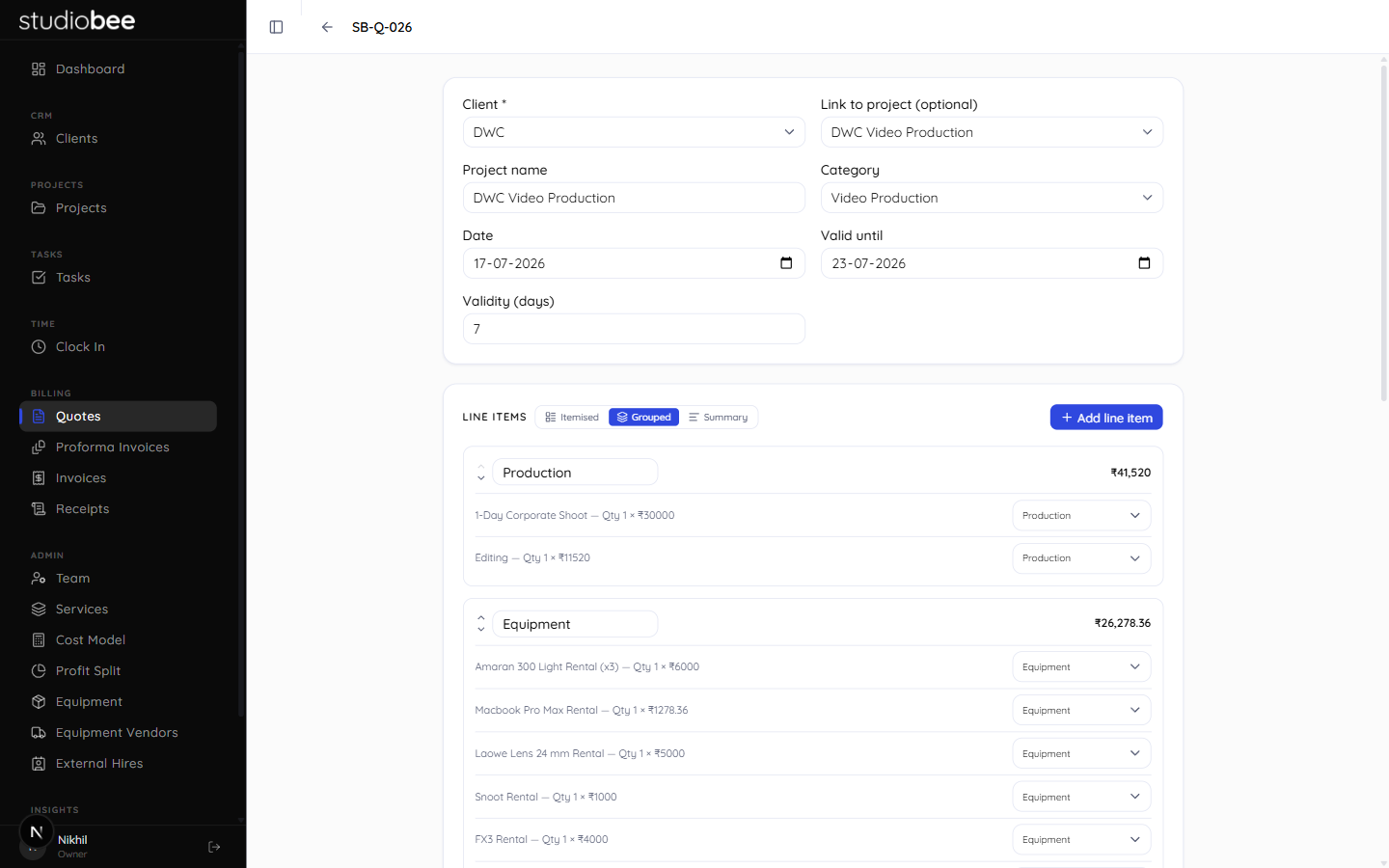
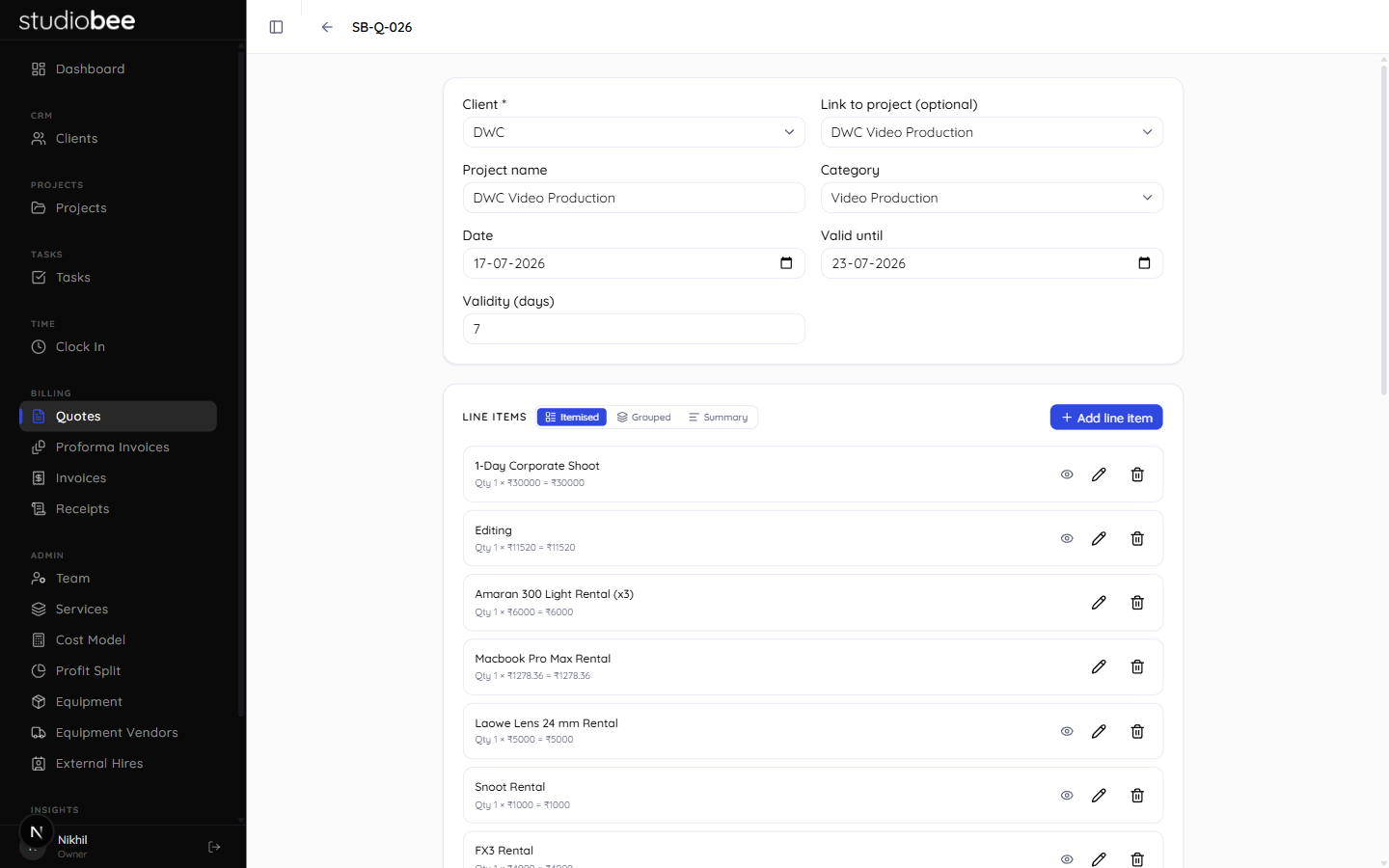
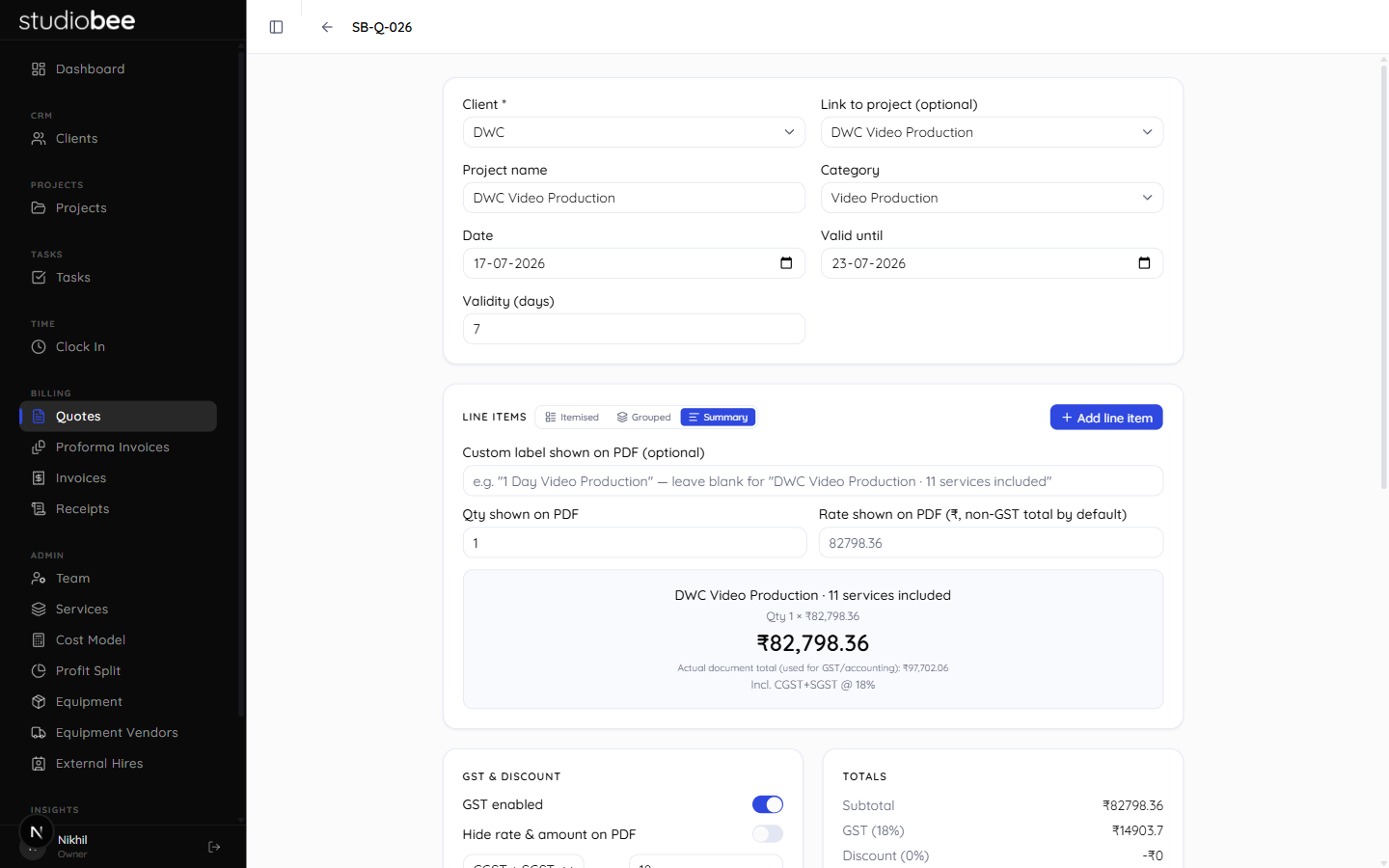
Itemised, Grouped, and Summary views, switchable per document
Insight
Invoices and receipts are financial records that can't just vanish
Decision
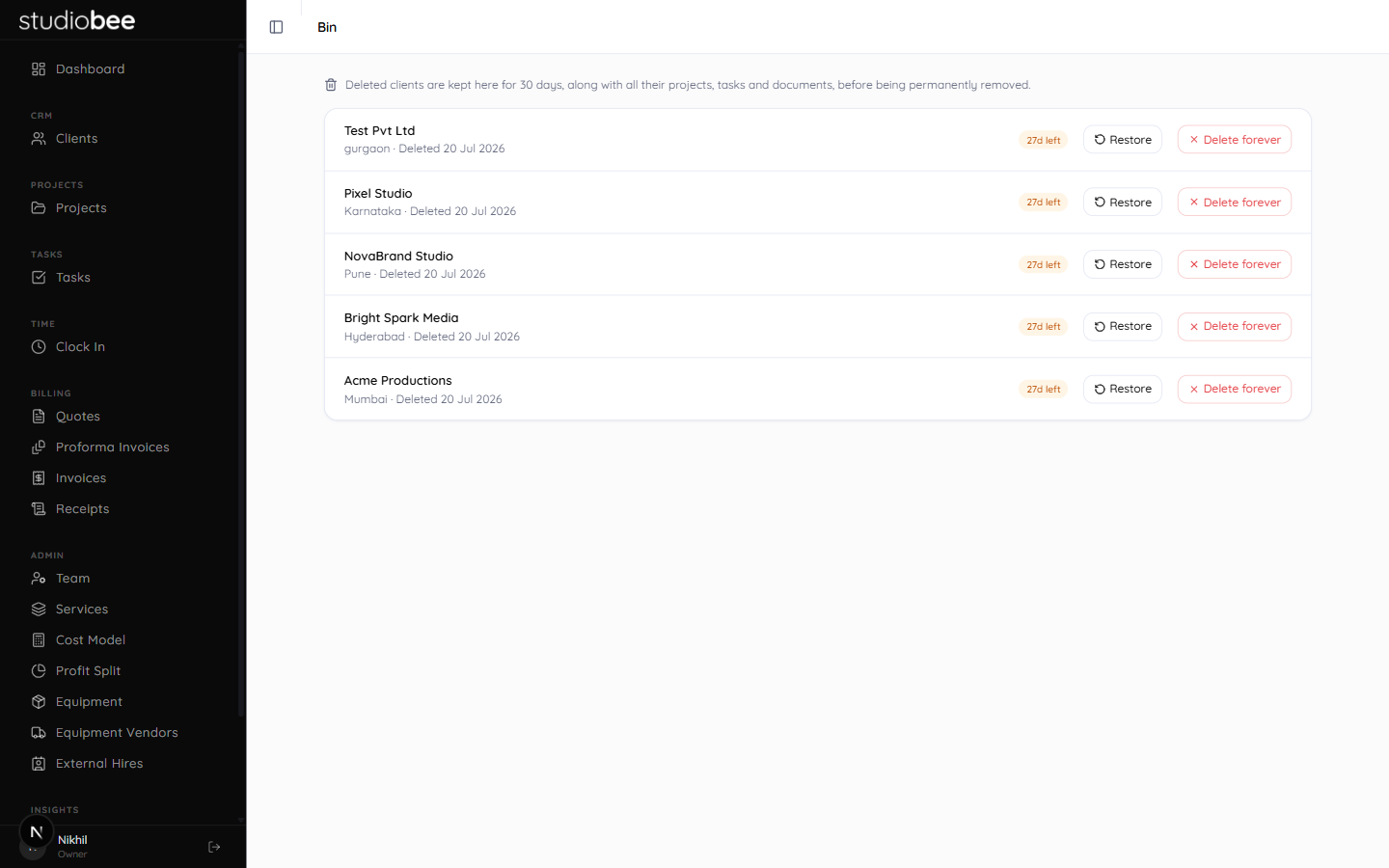
Soft-delete into a Bin — 30-day recovery, auto-purged
Insight
Subscriptions and amortised gear never showed up as a monthly cost
Decision
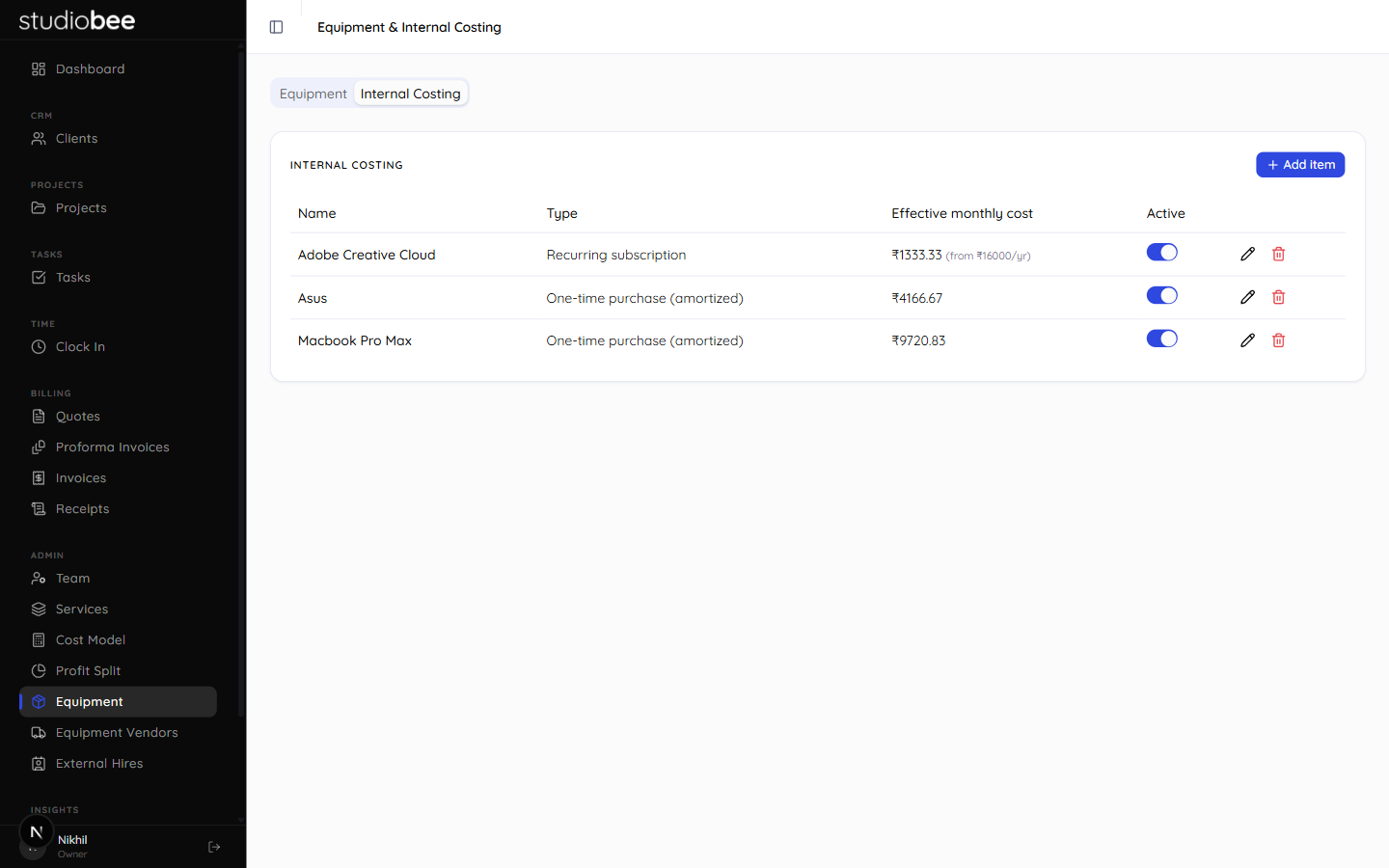
Internal Costing tab auto-converts to an effective monthly cost
IA & Nav Structure
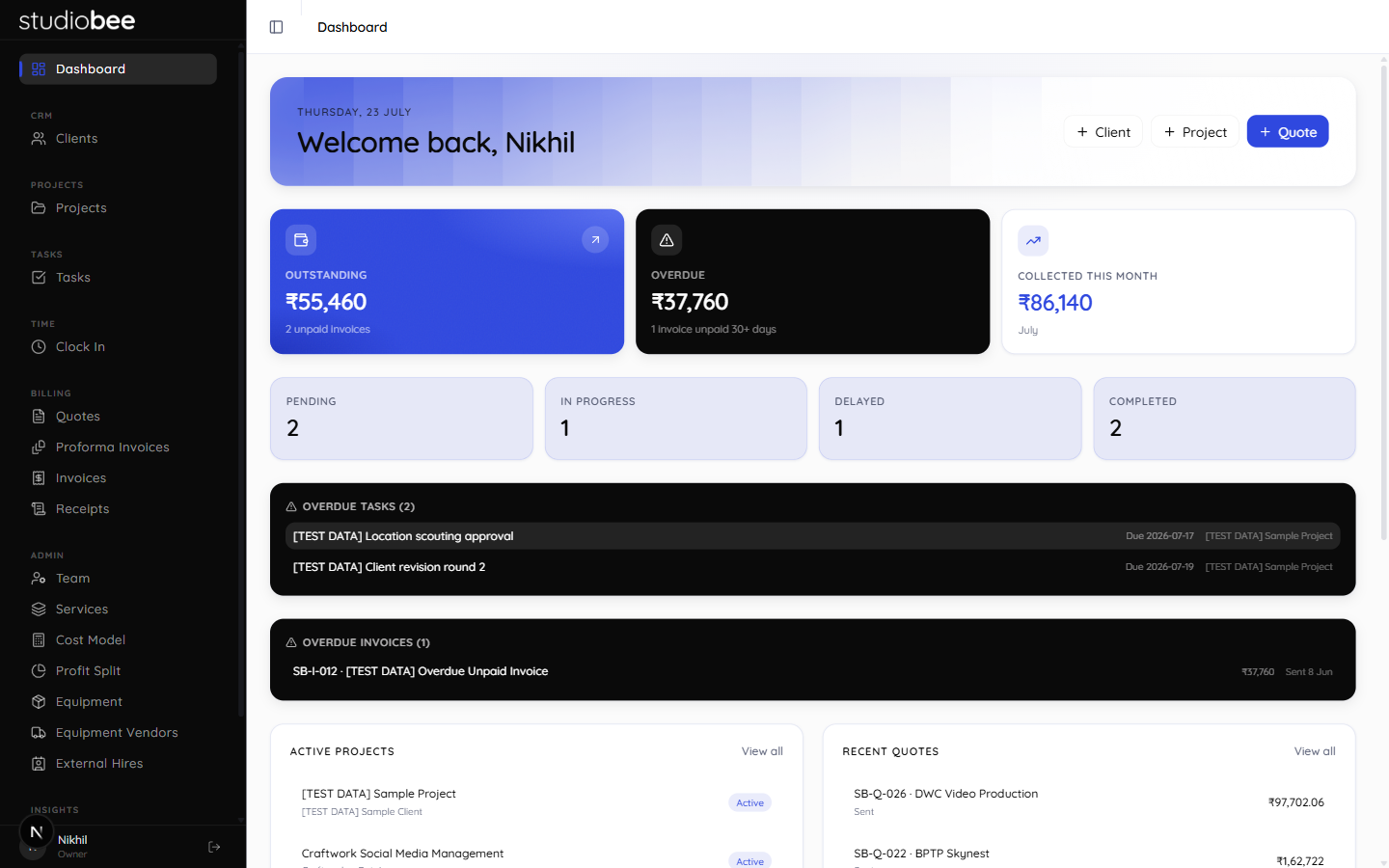
There's no landing page to design for here — just a dashboard and a permanent sidebar. So the real IA work was grouping: daily workflow at the top, document lifecycle in the middle, configuration and safety nets pushed to the edges.
Six sidebar groups, top to bottom:
One editor, four documents
Quote → proforma → invoice → receipt share one editor, so Billing is a single nav label.
Configuration, not daily use
Team, cost model, equipment and ratings are set-and-forget - pushed out of the daily-use flow.
A safety net, folded in
Bin moved from a standalone link to the last tab inside Admin once the nav consolidated to six groups.
Dashboard → Quote → Invoice
The dashboard's "+ Quote" shortcut exists because that's the single most common path into the app.
Final UI · Desktop Showcase
Dashboard
Outstanding, overdue & profit margin at a glance
Quote Editor
Grouped line items · live GST & profit split
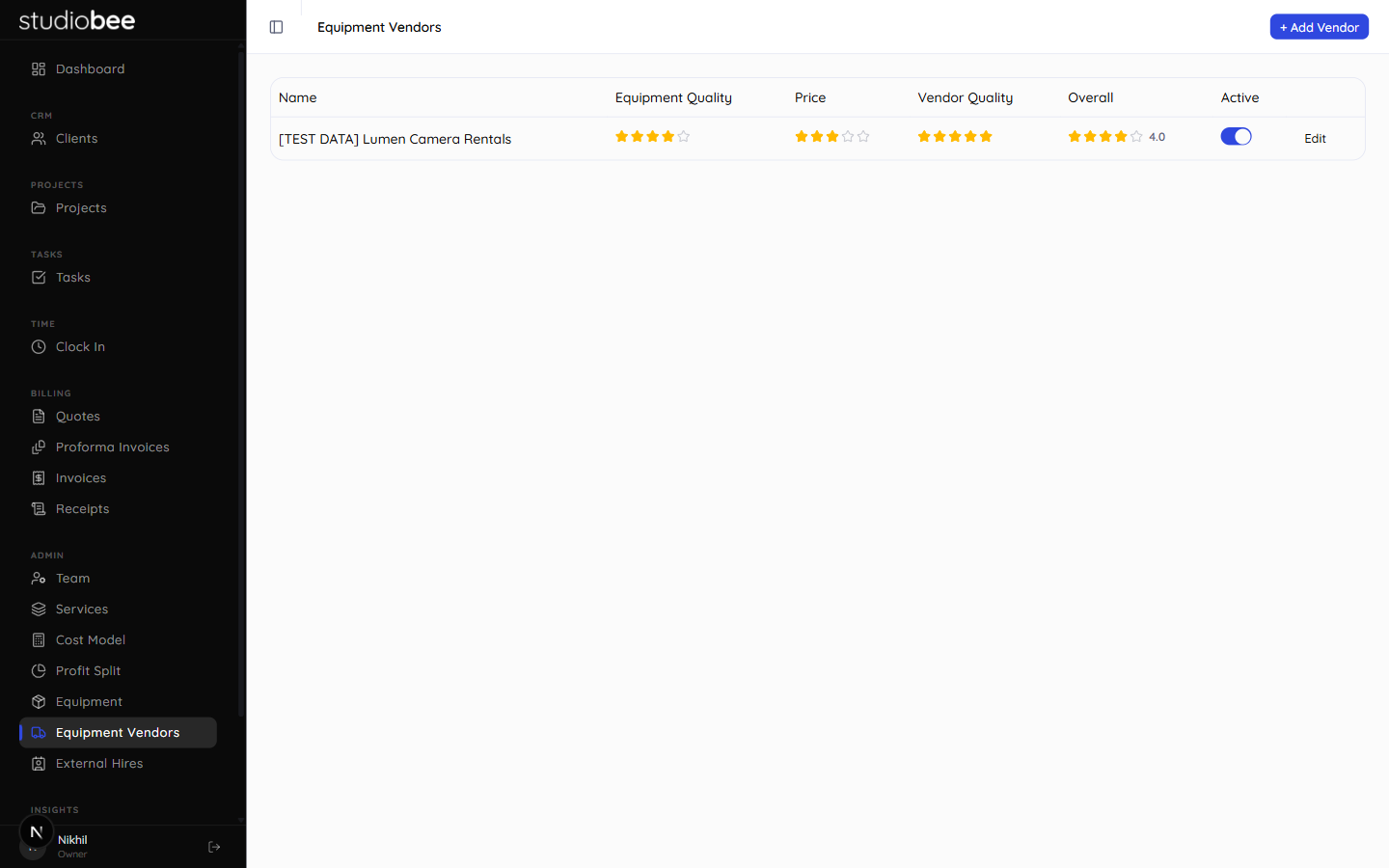
Vendor Ratings
Profile-level star ratings · generated overall score
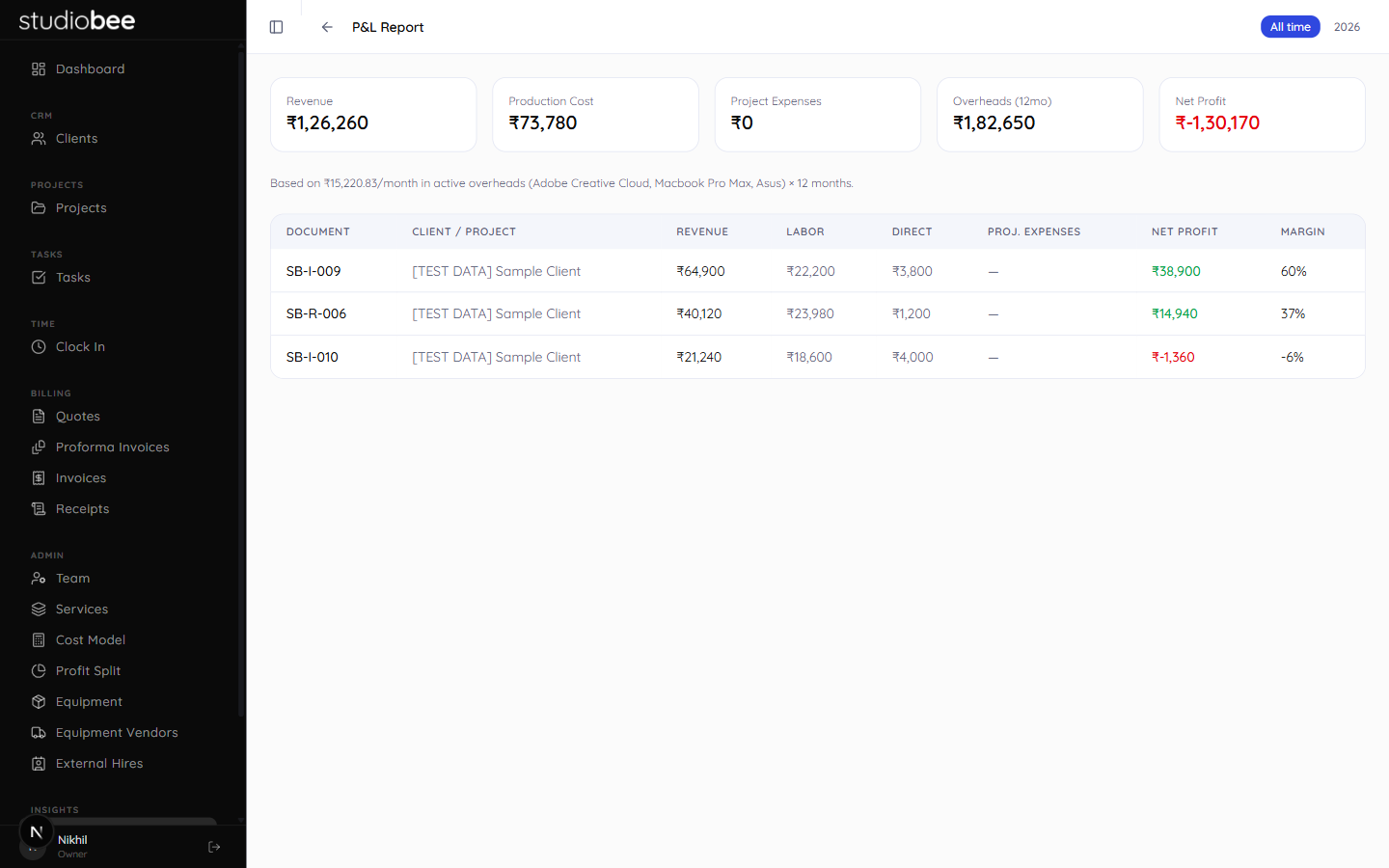
P&L Report
Per-document margin, driven by real internal cost
Bin
30-day recovery window · restore or purge
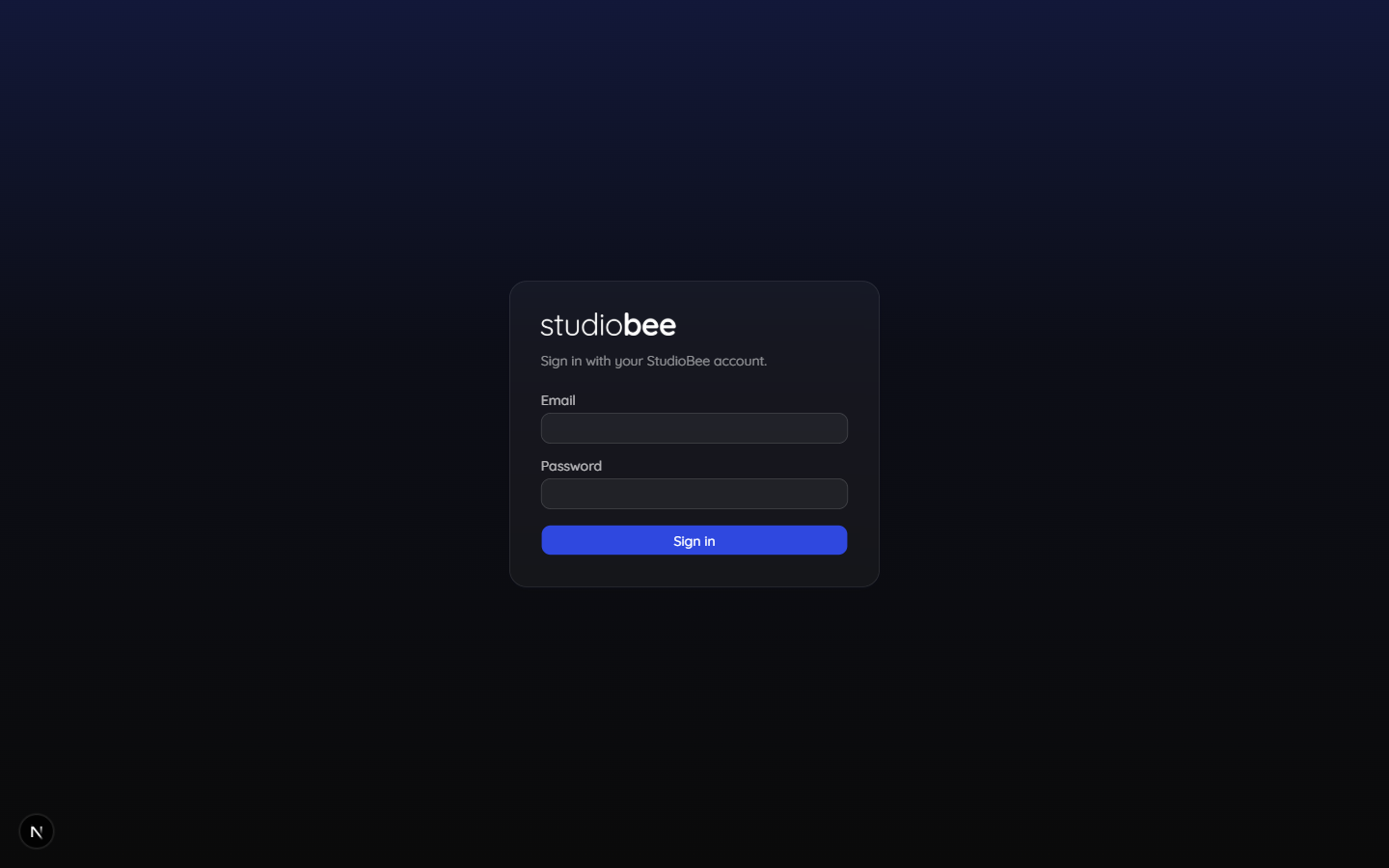
Sign In
Same brand blue, dark canvas, zero decoration
Line-Item Views
Full itemised breakdowns were right for some clients and unnecessarily granular for others — but rebuilding the same quote twice wasn't an option. The fix was a per-document toggle, not a global setting: Itemised, Grouped, and Summary, switchable on the same line items.
Grouped View Iteration
Grouped view first shipped with its own editable "Total shown on PDF" override row — a second source of truth for the total. It was removed once the real Subtotal/GST/Discount/Total box below already covered it; one number, one place it lives. Summary and Grouped overrides also default to the pre-GST amount, not the GST-inclusive total, since that read as confusing tax-inclusive pricing at a glance.
Internal Costing
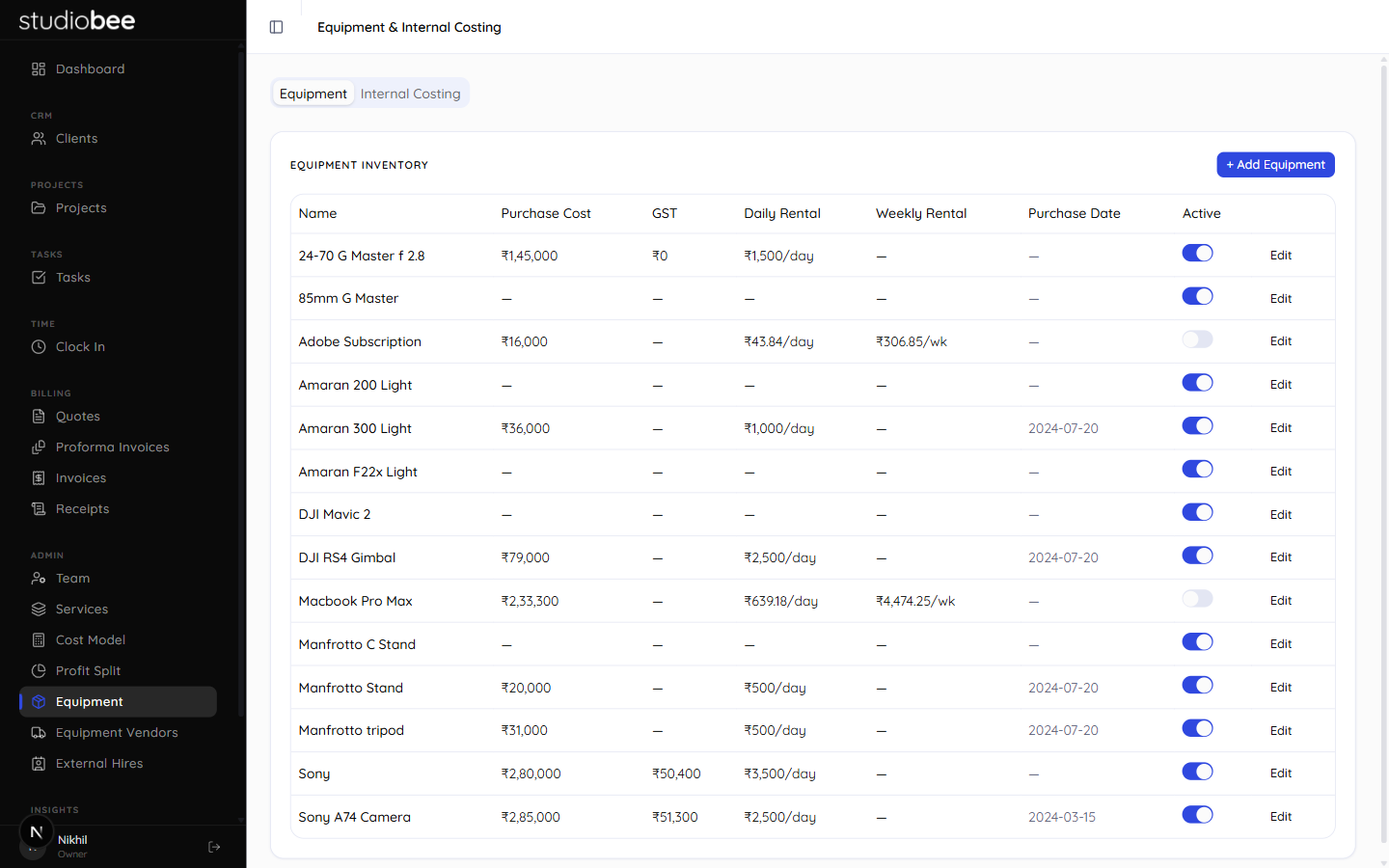
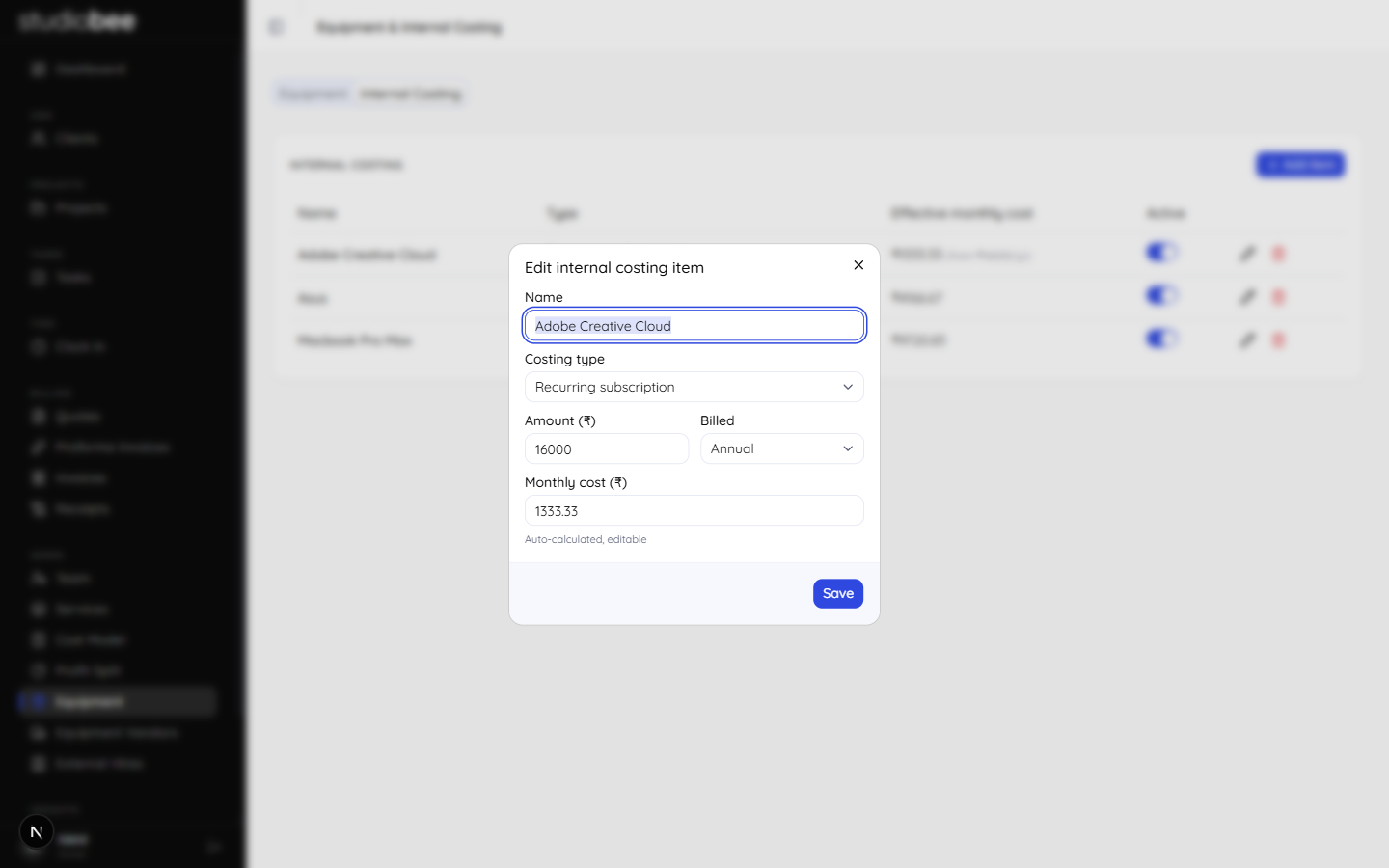
Equipment inventory only ever tracked one-time purchase cost and rental rates — useful for quoting gear to a client, useless for knowing what running the studio actually costs per month. A dedicated Internal Costing tab followed, and even that needed one more refinement: a billing-period field, so an annual Adobe subscription converts to the right monthly figure instead of a manually-guessed one.
Billing Period Refinement
Shipped first as a flat "amount → monthly cost" split. That silently assumed everything recurring was billed monthly, which wasn't true — Adobe bills annually. Adding a Billed field (Monthly / Annual) with an auto-calculated, still-editable monthly figure meant the P&L report's overhead number finally matched what the studio was actually paying.
Recurring vs. One-Time
Two costing types, one table: recurring subscriptions and one-time purchases amortised over their useful life, both collapsing to a single "effective monthly cost" column.
Auto-Calculated, Editable
The monthly figure is computed from amount and billing period by default, but stays a plain editable field — the system's best guess, not a locked value.
Feeds the P&L Directly
Active internal costing items sum straight into the P&L report's overhead line, so margin reflects real running cost, not just per-project labor and direct spend.
Outcomes
Real Money, Day One
Every invoice is a real invoice
No sandbox period, no dummy data migration — the first quote generated by this tool is what StudioBee actually billed a client with.
Profit Visibility
Margin known per project, not per year
The P&L report nets true internal cost against revenue per document, replacing a once-a-year accountant surprise with a live number.
Zero Data-Loss Incidents
The Bin has already earned its place
A wrong-client delete has already been caught and reversed inside the 30-day window since shipping — exactly the scenario it was built for.
What Worked
Per-document line-item views · soft-delete-everywhere pattern · shared QuoteEditor across all four document types · single profile-level star ratings · one shadcn Tabs pattern reused for every consolidated hub page
What I'd Revisit
A tracked migration history from day one · billing-period awareness designed in from the start, not bolted on · a role model with its final tier count decided up front, instead of merge-then-split · run next build (not just tsc) before calling a change done